

Back‑to‑school season is one of the biggest branding opportunities of the year. From welcome week...
You finally designed an awesome logo for your brand. Naturally, the next step is slapping it on everything in sight: comfy hoodies, sleek stainless-steel water bottles, canvas tote bags, and fancy ballpoint pens.
You send your logo to the print supplier, kick your feet up, and wait for the merch to roll in. But then comes the email.
"Hey, we got your file! Do you happen to have this logo as a vector?"
Cue the dramatic groan. What is a vector file anyway, and why are merch suppliers so obsessed with it? Here is why vector files are the undisputed gold standard for physical printing, and why your merch will look a million times better because of them.
What Makes Vector Files So Special?
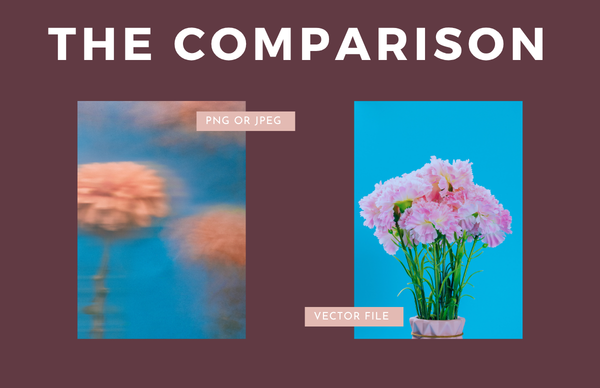
Unlike a standard image file (like a JPEG or PNG) made up of millions of tiny square pixels, a vector file is built using math. It uses geometric points, lines, curves, and shapes.
Why should you care about math when making cool t-shirts? Because it completely changes how print machinery interacts with your artwork.
1. One File Rules Them All
Imagine needing one image size for a giant billboard, another for a tote bag, and a tiny one for a custom pen. With standard pixel images, scaling up makes everything look blurry and stretched out.
Vectors laugh in the face of resolution limits. Because the file is based on proportions rather than a fixed grid of pixels, you can shrink your logo down to the size of a postage stamp or scale it up to cover a hot air balloon. Zero loss in quality, zero pixelation, and absolute infinite scalability.
2. Print Machinery Needs "Road Maps"
When high-tech physical machines make your swag, they do not see a pretty picture. They see directions.
- Embroidery Machines: Need vector lines to map out where needle and thread should move across a custom baseball hat.
- Vinyl Cutters & Laser Engravers: Treat vector paths like a GPS navigation route to guide physical blades or laser beams when etching your design into a coffee mug.
- Screen Printers: Rely on vector shapes to split your logo into perfectly separated, solid layers of ink.
3. Crisp Edges Every Single Time
Sending a standard JPEG photo to a printing press is a recipe for sad, fuzzy merchandise. Pixels struggle along curved lines, creating jagged edges and weird color bleeding. A vector file delivers razor-sharp borders and crisp, clean lines on every single item.
4. Color Swapping in a Flash
Want to change your black logo to white so it pops on a dark navy hoodie? Or match your exact brand color using precise Pantone ink? Merch suppliers can click individual paths in a vector file to swap colors in seconds. No tedious photo editing required.
The Bottom Line
Supplying a vector file (.AI, .EPS, or vector PDF) avoids setup delays, extra graphic redesign fees, and ensures your branded gear looks high-end instead of cheap. Investing the effort to source the correct vector assets upfront guarantees that every piece of merchandise accurately reflects the quality and professionalism of your brand.
Related posts


Let's be real, in a world where everyone's inbox is overflowing and attention spans are shorter...

Golf season is the perfect moment for event planners, tournament sponsors, and marketers to shine....